selfstore-join
Opening an invitation link. It previews first, joins on an explicit yes, and gives named outcomes instead of generic errors - “this device already follows another share” is a different sentence from “this invitation is spent”, and the user can act on each.
<selfstore-join id="join"></selfstore-join>
<script type="module">
  const el = document.getElementById('join');
  el.link = location.href;
  el.engine = myJoinEngine;             // last
  el.addEventListener('selfstore-joined', () => location.assign('/'));
</script>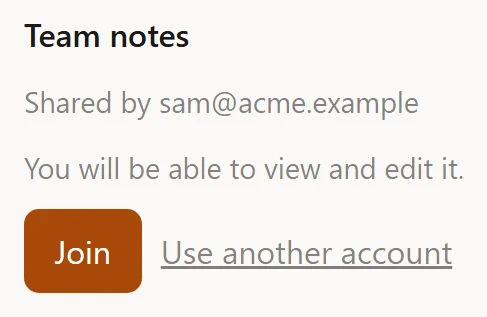
Properties
| Property | Type | Default | Notes |
|---|---|---|---|
engine |
JoinEngine | null |
null |
Your transport. Assign last. |
link |
string | null |
null |
The invitation. Also an attribute. |
options |
{ deadlineMs?: number } |
{} |
Raise it when the engine’s join opens a popup |
variant |
'card' | 'banner' |
'card' |
Also an attribute |
flow |
JoinFlow | null (read-only) |
null |
The underlying flow |
options.deadlineMs
Set it when joining opens an account chooser. The default network guard is generous for a request and short for a human reading a popup - a deadline that fires while someone is picking an account looks like a failure that is not one.
variant
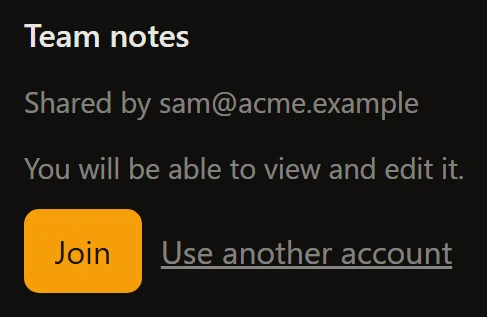
card renders the full invitation: who shared, what level, the accept button.
banner collapses it to one line - label, join, account switch - for a page
that renders its own preview around the widget.
Attributes
| Attribute | Values |
|---|---|
link |
the invitation URL |
variant |
card (default), banner |
<selfstore-join variant="banner" link="https://app.example/invite/abc"></selfstore-join>Events
| Event | Detail | When |
|---|---|---|
selfstore-joined |
{ outcome: 'joined' } |
The device joined the share |
selfstore-join-refused |
{ outcome } |
A named refusal; outcome is the step reached |
selfstore-cancelled |
none | The user backed out |
selfstore-join-refused is not an error event. It fires for the two outcomes
the journey expects and names - a spent invitation, or a device already
following another share - so your app can offer the right next step rather than
a retry button that will fail again.
Parts
Shared: title, sub, hint, row, button, button-primary, link,
status, status-ok, status-error, spinner.
Its own: banner - the row in the banner variant (also carries row).
Labels
Every string is a key with a default, and the widget ships English and French. The 14 keys it owns are listed on every label key; how the resolution works is on wording.