selfstore-backups
The panel for several named backups on one connected home: list them, create, rename, open, encrypt, share, delete. Plus the ones other people share with you, and optionally the backup copy journey.
<selfstore-backups id="backups"></selfstore-backups>
<script type="module">
  const el = document.getElementById('backups');
  el.confirmAction = (a) => confirm(`Really ${a.type}?`);
  el.manager = backupsManager;          // from 'selfstore/backups'
</script>
This one drives a BackupsManager, not a store - see
encryption and backups.
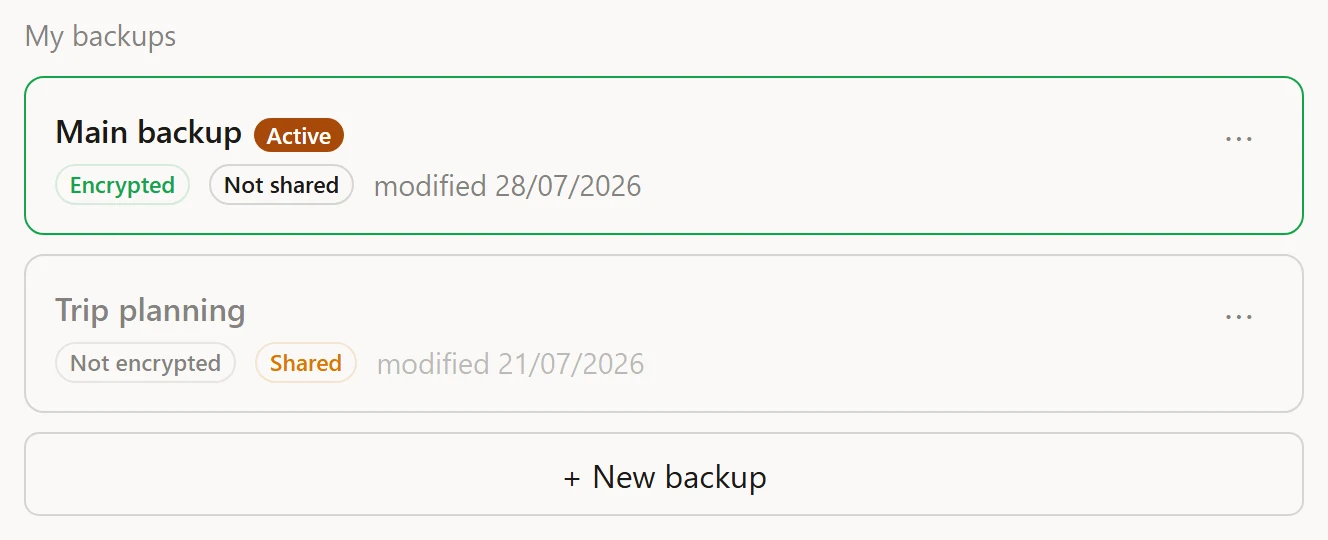
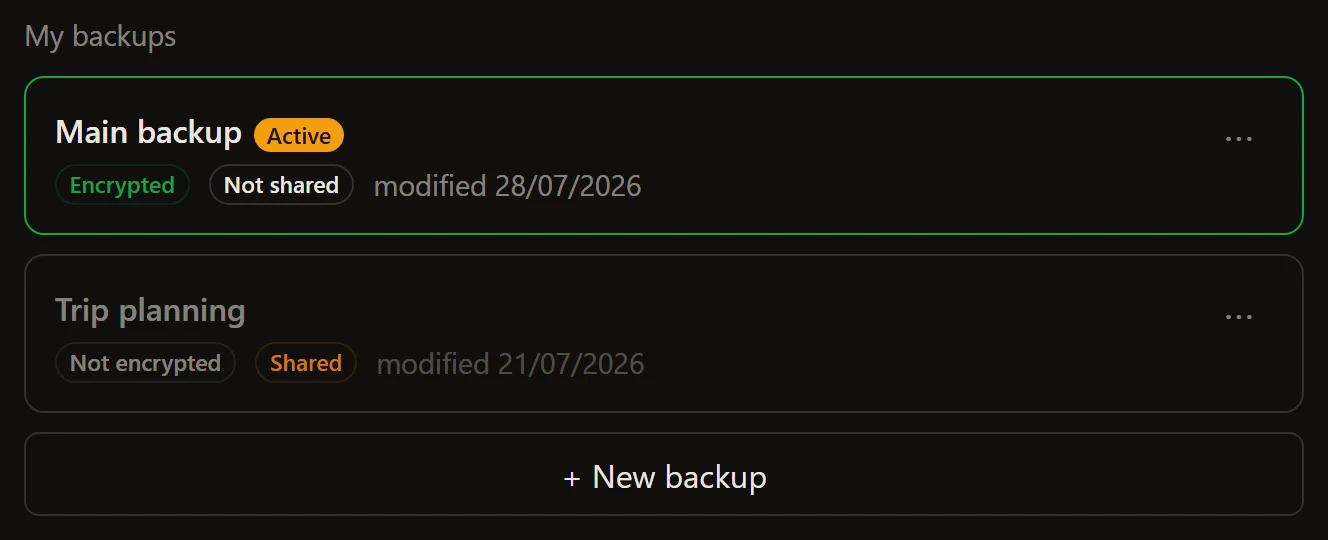
Properties
| Property | Type | Default | Notes |
|---|---|---|---|
manager |
BackupsManager | null |
null |
The headless manager this panel drives. Assign last. |
member |
{ by, fileId? }[] | object | null |
null |
The shares this device follows. One entry per share, or a single object. |
activeEncrypted |
boolean | null |
null |
Live state of the attached backup, from your store. Preferred over the learned memory, which may lag. |
activeShared |
boolean | null |
null |
Same, for sharing |
confirmAction |
(a: BackupsAction) => boolean | Promise<boolean> |
null |
Host veto before delete, forget or leave |
replica |
ReplicaFlow | null |
null |
Setting it adds the backup-copy journey. Without it the panel is byte-identical to before. |
withCreate |
boolean |
true |
The “new backup” button |
withRename |
boolean |
true |
The rename action |
withDelete |
boolean |
true |
The delete action |
withOpen |
boolean |
true |
The open action |
withEncrypt |
boolean |
true |
The encrypt action |
withShare |
boolean |
true |
The share action |
withShared |
boolean |
true |
The “Shared with me” section |
Methods
| Method | Signature | Notes |
|---|---|---|
refresh() |
() => void |
Re-list the rows from the destination. Call it after a gesture of your own moved things. |
open() |
(fileId: string, passphrase?: string) => Promise<void> |
Open a row programmatically - the same gesture as tapping it, password card included. |
open() lets you chain “open this backup, then act on it” in your own views
without re-implementing the passphrase step.
Attributes
Every with-* knob is also an attribute, and they read as off for off,
false, no or 0 (trimmed, case-insensitive):
<selfstore-backups with-delete="off" with-share="no"></selfstore-backups>| Attribute | Default |
|---|---|
with-create, with-rename, with-delete, with-open, with-encrypt, with-share, with-shared |
on |
Setting the property to the string "off" does not work - the property
takes a real boolean. See the boolean trap.
The veto
confirmAction runs before anything destructive. Answer (or resolve) false
and nothing happens; window.confirm fits as-is. A hook that throws reads
as “no”: destruction needs a clear yes.
type BackupsAction =
  | { type: 'delete'; fileId: string; name: string; active: boolean }
  | { type: 'forget'; fileId: string; who: string }
  | { type: 'leave'; fileId: string | null; who: string }
  | { type: 'replica-remove'; label: string };
leave is a membership’s removal. The widget does not perform it - it emits
selfstore-backups-leave and your app does the leaving, because only your app
knows what a membership means on your side.
Events
| Event | Detail | When |
|---|---|---|
selfstore-backups-opened |
{ fileId } |
A backup was opened |
selfstore-backups-created |
{ label } |
A backup was created |
selfstore-backups-renamed |
{ fileId, label } |
A backup was renamed |
selfstore-backups-deleted |
{ fileId } |
A backup was deleted |
selfstore-backups-forgotten |
{ fileId } |
A row was forgotten locally |
selfstore-backups-wrong-password |
{ fileId } |
An open failed on the passphrase |
selfstore-backups-error |
{ code } |
Any other failure; code is the manager’s last error |
selfstore-backups-leave |
{ fileId } |
The user asked to leave a share - your app performs it |
selfstore-backups-encrypt |
{ fileId, label, active } |
The user asked to encrypt a backup |
selfstore-backups-share |
{ fileId, label, active } |
The user asked to share a backup |
The last three are requests, not reports: the widget surfaces the intent and your app owns the journey (a password screen, a share panel, a leave call).
Parts
Shared: title, sub, hint, card, row, list, button,
button-primary, input, field, tag, error-note.
Its own:
| Part | Node |
|---|---|
card-active |
The active backup’s card (also carries card) |
menu-button |
The overflow trigger on a row |
menu, menu-layer, menu-backdrop |
The open overflow menu |
new-button |
The “new backup” button |
open-row, open-shared |
The open links |
eye |
The show/hide password toggle |
replica-label, replica-line, replica-ok, replica-error |
The backup copy’s line inside the active card |
replica-form, replica-picker, replica-dest, replica-remove |
The backup copy setup |
The overflow menu is a dropdown on wide screens and a bottom sheet on phones, both from the same part names: a backdrop closes it on any outside click, and Escape closes it and hands focus back to its trigger.
The backup copy is a line, not a card
When replica is set, the attached copy renders as one line inside the active
backup’s card, under its pills - never a card of its own. A copy is not a
backup with its own identity; it is the same encrypted file written to a second
destination, and giving it a card would suggest otherwise.
Labels
Every string is a key with a default, and the widget ships English and French. The 55 keys it owns are listed on every label key; how the resolution works is on wording.