# selfstore-connect
Source: https://selfstore.dev/docs/widget-connect
Reference for the connect widget: properties, attributes, events, parts and all 58 label keys. It renders the whole "where does my data live" journey, from picking a destination to resolving an existing backup.
The "where does my data live" journey, ready to drop in: pick a destination,
authorize it, resolve an existing backup, set or enter a password. A thin skin
over `connectFlow` - every ordering and failure rule lives in the flow and its
tests.
```html
```
You enable exactly the destinations you want in `targets`; the rest are never
shown. See [destinations](https://selfstore.dev/docs/disk) for what each one needs.
Mount this when **you** decide the moment. To have the screen appear on its own
at first run, use [``](https://selfstore.dev/docs/widget-gate), which wraps this
element and answers "should this be on screen at all".
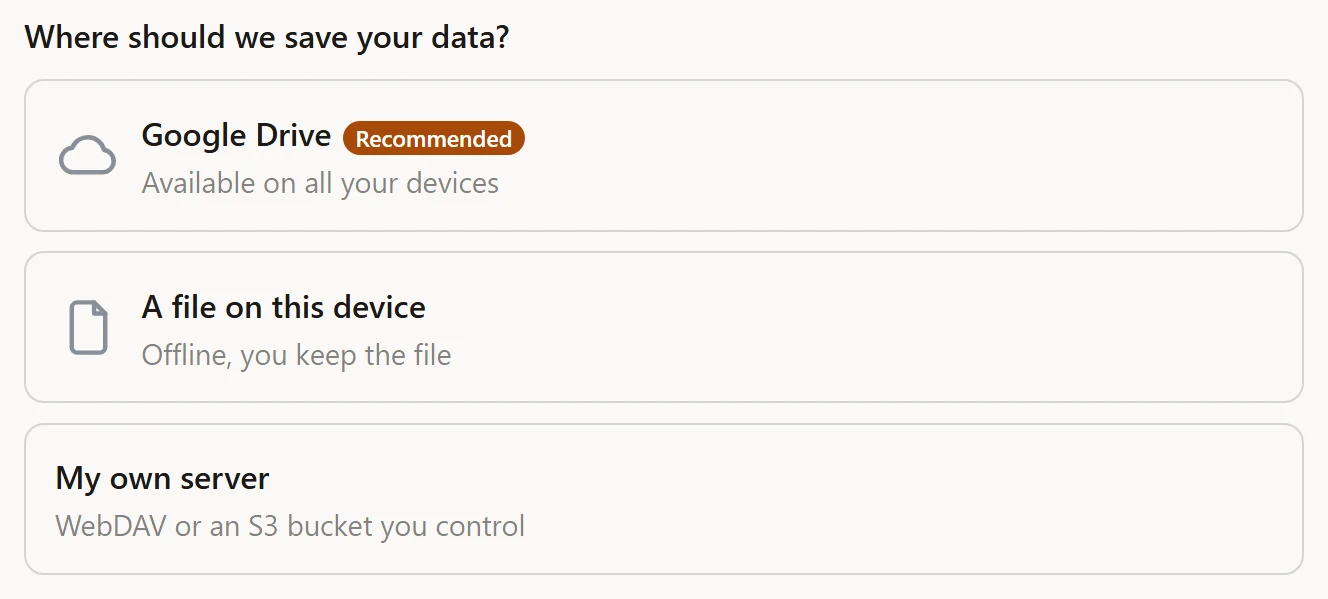
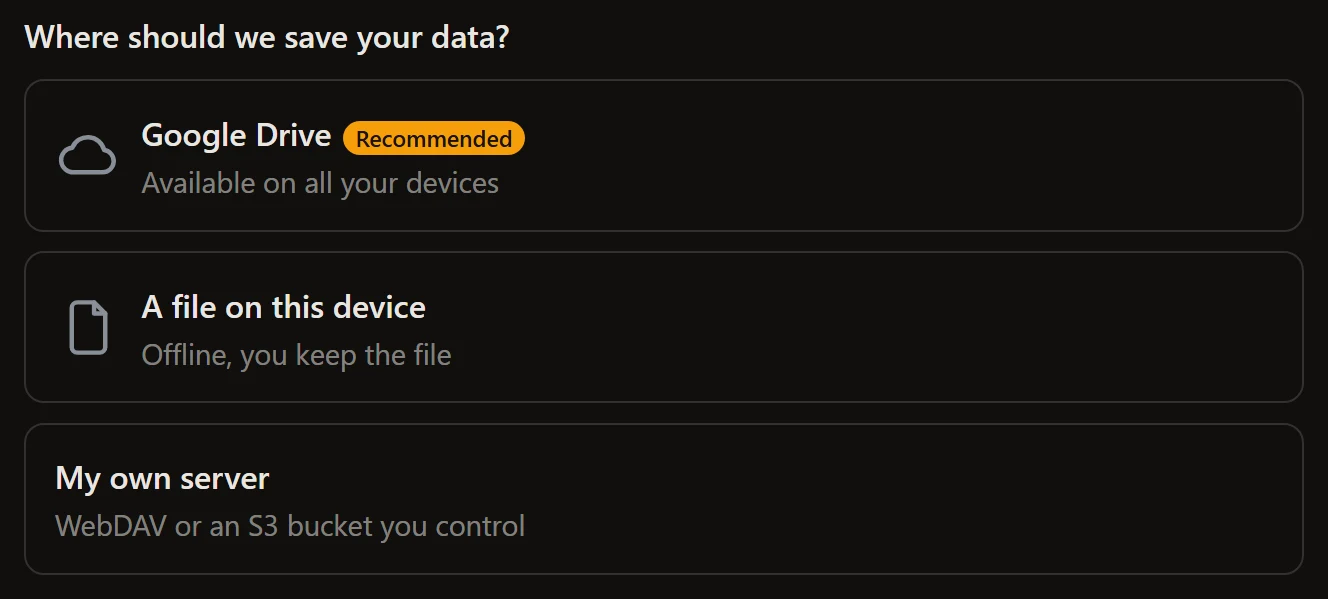
The connect journey, with Google Drive badged as the recommended destination. WebDAV and S3 are grouped behind one card. Unstyled apart from the accent: this is the widget with one CSS custom property set.
## Properties
| Property | Type | Default | Notes |
| --- | --- | --- | --- |
| `store` | `StoreLike \| null` | `null` | The store, or a hand-built `FlowHost`. Assign last. |
| `targets` | `ConnectTargets \| null` | `null` | Which destinations to offer, and how each authorizes. |
| `options` | `ConnectFlowOptions` | `{}` | `defaultResolution`, `password`, `deadlineMs`, ... |
| `recommended` | `ConnectKind \| null` | `null` | Badges one destination with a `tag`. A highlight only: order still follows `targets`. |
| `icons` | `Partial>` | `{}` | An image URL or data URI per destination, rendered as `part="icon"`. Omit a kind for no icon. |
| `advanced` | `ConnectKind[]` | `[]` | Destinations tucked behind a discreet link instead of a full card. The journey after the click is identical. |
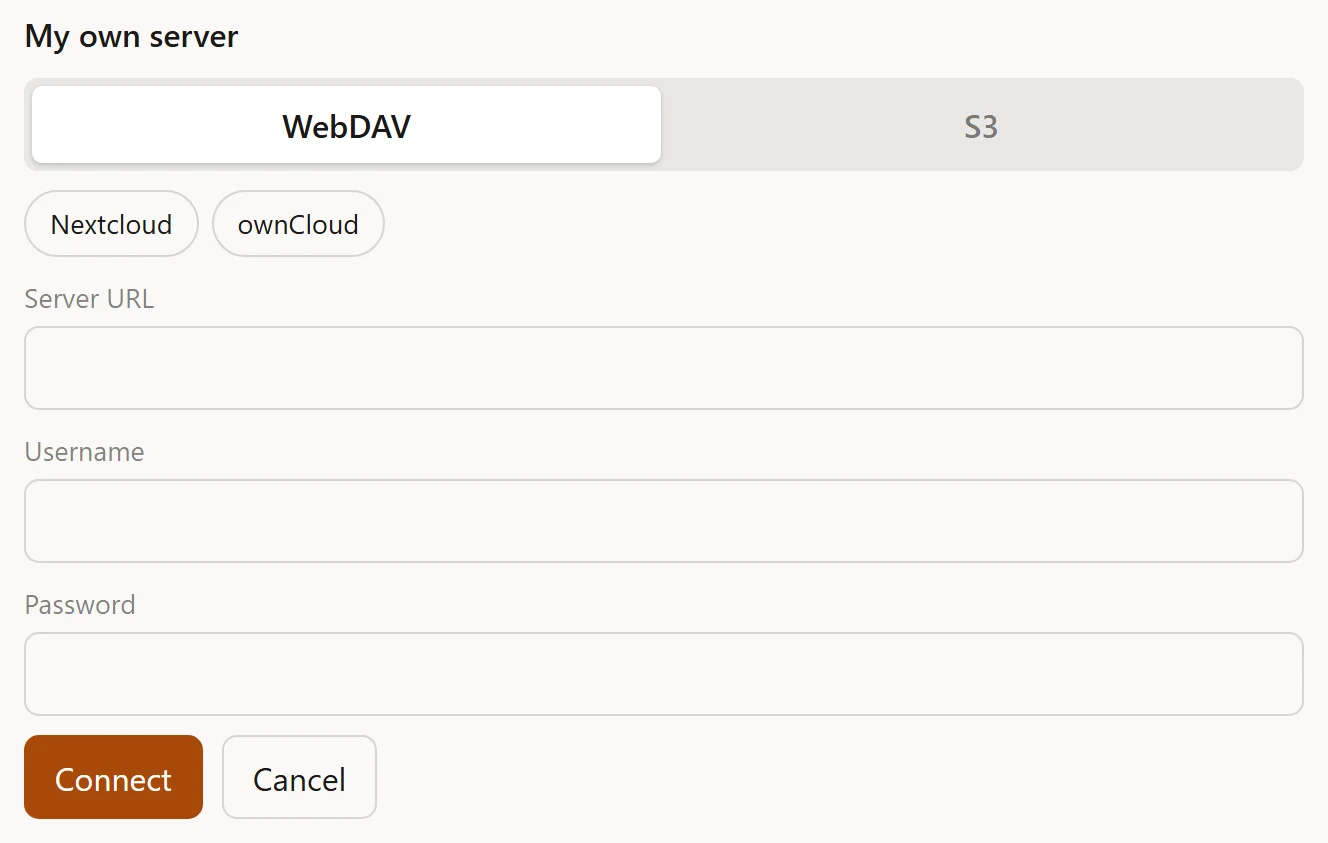
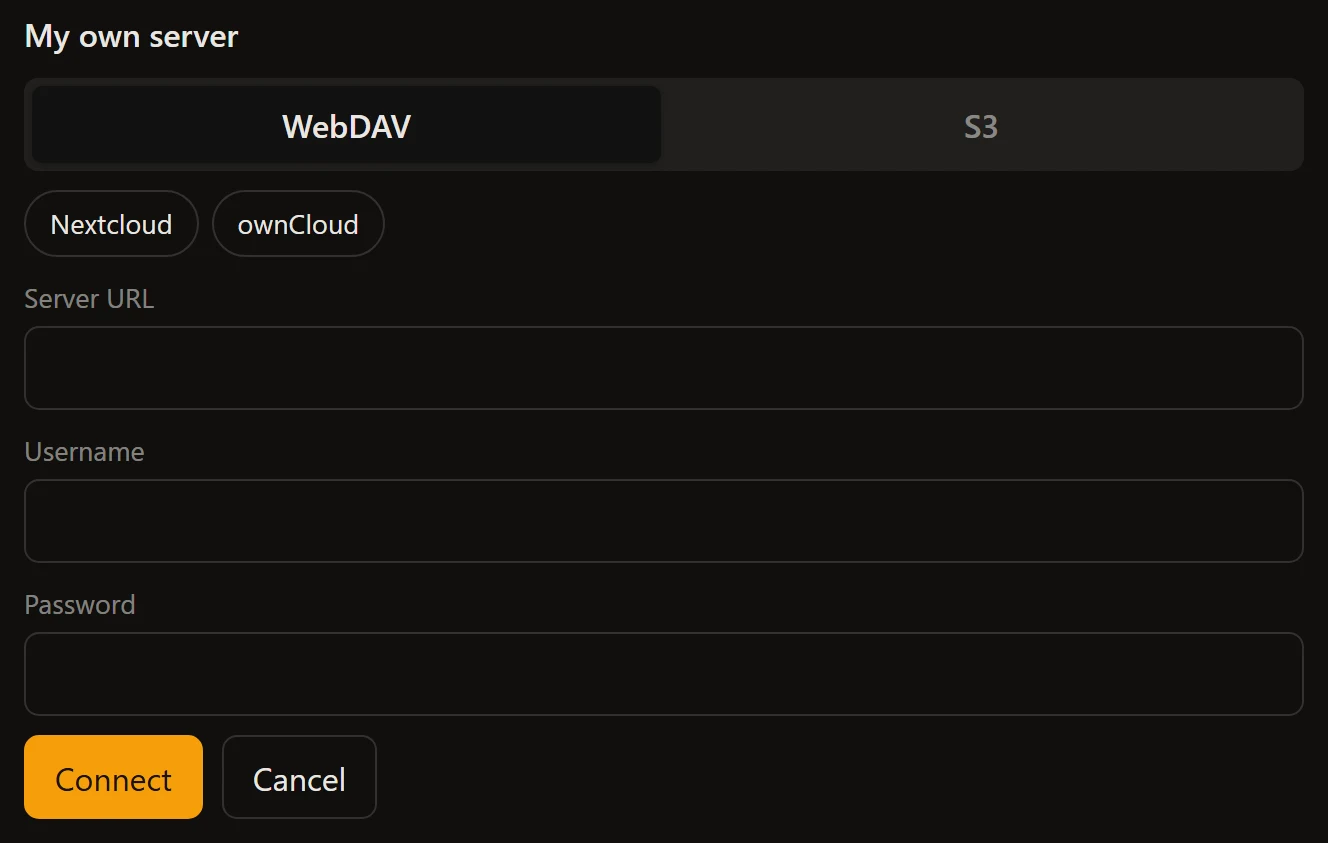
| `webdavPresets` | `WebdavPreset[]` | `[]` | Named WebDAV providers offered above the form. |
| `flow` | `ConnectFlow \| null` (read-only) | `null` | The underlying flow, for programmatic control. Null until wired. |
### `advanced`
For power-user destinations that must stay reachable without weighing the
everyday choice:
```ts
el.targets = { drive: driveAuth, file: true, webdav: true, s3: true };
el.advanced = ['webdav', 's3']; // Drive and file as cards, the rest behind a link
```
### `webdavPresets`
selfstore ships **no** provider list - hard-coding hosts is not its job. Your
app supplies whichever it wants to surface, and picking one pre-fills the URL
field. Pure UI sugar over the same blank form, which still works.
```ts
el.webdavPresets = [
{
id: 'acme',
label: 'Acme Cloud',
url: 'https://dav.acme.example',
help: 'Create an app password in Settings, Security.',
helpUrl: 'https://acme.example/help/app-passwords',
signupUrl: 'https://acme.example/signup'
}
];
```
| Field | Type | Meaning |
| --- | --- | --- |
| `id` | `string` | Stable id, also the `data-preset` attribute for theming and tests |
| `label` | `string` | Button text: the provider or host name |
| `url` | `string?` | Pre-fills the URL field. Omit for a label-only entry |
| `help` | `string?` | Guidance shown under the form once picked, and as the button's tooltip |
| `helpUrl` | `string?` | A link appended to the `help` line |
| `signupUrl` | `string?` | "Create an account" link for a user with no account yet |
The same widget once a server destination is chosen: the WebDAV and S3 tabs, two presets the app supplied, and the labelled fields. selfstore ships no provider list.
## Attributes
| Attribute | Format | Sets |
| --- | --- | --- |
| `recommended` | a destination kind | `recommended` |
| `advanced` | comma-separated kinds | `advanced` |
```html
```
Everything else is a property: `targets`, `options` and `icons` are objects, and
an attribute cannot carry one.
## Events
| Event | Detail | When |
| --- | --- | --- |
| `selfstore-connected` | `{ outcome }` | The destination is connected and the data is saved |
| `selfstore-error` | `{ error }` | The journey failed |
| `selfstore-cancelled` | none | The user backed out |
## Parts
Shared: `title`, `sub`, `hint`, `card`, `row`, `button`, `button-primary`,
`button-danger`, `link`, `input`, `label`, `labelled`, `field`, `icon`, `tag`,
`status`, `status-ok`, `status-error`, `error-note`, `spinner`.
Its own:
| Part | Node |
| --- | --- |
| `tabs` | The WebDAV / S3 segmented toggle |
| `presets` | The WebDAV quick-pick row |
| `eye` | The show/hide password toggle |
| `advanced-link` | The link revealing advanced destinations |
| `forgot-link` | "Forgot the password?" |
| `webdav-help` | The preset's how-to link |
| `webdav-signup` | The preset's "create an account" link |
| `webdav-note` | The guidance line under the WebDAV form |
| `warn-note` | The forgotten-password warning |
## Two behaviours worth knowing
**The password field keeps what you typed.** Toggling show/hide swaps the input
type in place, with no re-render, so nothing already typed is lost. The same is
true of switching between the WebDAV and S3 tabs: the typed fields live on the
element, and switching leaves and re-enters the form without flow surgery.
**Fields are labelled, not just placeheld.** A placeholder is a hint, never a
label: it vanishes at the first keystroke, so anyone who pauses mid-form has to
clear a field to remember what it wanted, and a screen reader announces unnamed
boxes. Every field carries a visible label (`part="label"`).
## Labels
Every string is a key with a default, and the widget ships English and French. The 58 keys it owns are listed on [every label key](https://selfstore.dev/docs/widget-labels#selfstore-connect); how the resolution works is on [wording](https://selfstore.dev/docs/widgets-localization).
Map of this site for a model: https://selfstore.dev/llms.txt
Every page in one file: https://selfstore.dev/llms-full.txt